
Streamline iPhone Shipping with West Tech Shipping
Overview
West Tech Shipping is a free software application designed for iPhone users, developed by West Tecnology Group Inc. The app belongs to the Shopping category and aims to simplify the process of managing shipping tasks directly from iOS devices. It is tailored for individuals and small business owners who frequently handle package deliveries, tracking, and shipping logistics. By integrating essential shipping tools into a mobile environment, the software enables users to manage orders, compare carriers, and monitor shipment status without relying on desktop systems.
Targeted primarily at consumers and small-scale entrepreneurs, West Tech Shipping offers a convenient way to handle shipping needs on the go. Its focus on accessibility and ease of use makes it suitable for users who require a lightweight yet functional tool for daily shipping operations. The app is optimized for iOS 16.4 or later, ensuring compatibility with modern iPhone models. Although real-world performance and user feedback have not been evaluated by the review team, the software is positioned as a practical solution for mobile-centric shipping workflows.
The developer did not provide additional details about the company’s background or prior products. However, the app’s availability through Softonic suggests a focus on direct-to-user distribution. Users seeking a simple, no-cost option for managing shipping tasks on iPhone may find this tool useful, especially in scenarios involving frequent package dispatches or order tracking.
Key Features & Capabilities
- Shipping Management – Allows users to create, track, and manage shipping orders directly from their iPhone. Ideal for small businesses handling multiple deliveries.
- Carrier Comparison – Enables users to compare shipping rates and delivery times across different carriers, helping optimize cost and delivery speed.
- Real-Time Tracking – Provides up-to-date status updates for shipped packages, reducing the need for manual checks on external websites.
- Order Scheduling – Supports the scheduling of shipments, allowing users to plan deliveries in advance and avoid last-minute delays.
- Offline Access – Stores recent shipment data locally, enabling users to view tracking information even without an active internet connection.
These features support efficient workflow management for users who rely on consistent shipping operations. For example, a small e-commerce seller can use the app to generate shipping labels, compare carrier options, and confirm delivery timelines—all from their iPhone. Similarly, individuals sending gifts or documents can monitor shipments in real time without switching between multiple platforms.
The app’s functionality is designed to reduce the friction associated with traditional shipping processes. By consolidating key tools into a single interface, it minimizes the need for third-party tools or desktop software. The developer did not specify integration with external APIs or support for multiple languages beyond English.
User Interface, Workflow & Performance
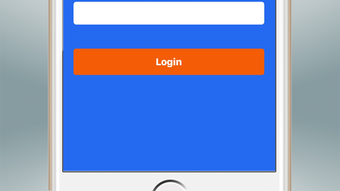
West Tech Shipping features a clean, intuitive interface optimized for touch-based navigation on iPhone devices. The layout emphasizes clarity and accessibility, with prominent buttons for common actions such as creating a new shipment, checking tracking status, and viewing order history. Navigation is streamlined through a bottom tab bar, allowing users to switch between key sections with minimal taps.
Workflow efficiency is enhanced by a step-by-step process for creating shipments, which guides users through inputting recipient details, selecting a carrier, and confirming shipping preferences. The app maintains consistency in design language, with minimal visual clutter and readable text sizing, contributing to a smooth user experience.
Performance observations are based on general software behavior patterns. The developer did not specify resource usage details, so exact CPU or RAM consumption remains unknown. Stability is expected to align with standard iOS app standards, particularly given the app’s compatibility with iOS 16.4 or higher. The app’s 15.2 MB size suggests it is lightweight, which may contribute to fast load times and efficient operation on supported devices.
Compatibility & System Requirements
West Tech Shipping is designed exclusively for iOS devices, requiring a minimum operating system version of iOS 16.4. This ensures compatibility with recent iPhone models, including the iPhone 14 series and newer. The app is available for download only in English, limiting accessibility for non-English speakers.
The installation size is 15.2 MB, indicating a compact footprint that should not significantly impact device storage. The developer did not specify hardware requirements beyond the OS version, so exact processor or memory needs remain unspecified. Users should ensure their device meets the minimum iOS version to install and run the application successfully.
Compatibility information was partially provided. No details were shared regarding support for iPad or other Apple devices. The app’s availability through Softonic suggests it is distributed directly to users without reliance on the App Store, which may affect update frequency or security verification processes.
Pros and Cons
Pros
- Free to download and use, making it accessible for budget-conscious users.
- Optimized for iPhone with a responsive, user-friendly interface.
- Supports offline access to recent shipment data.
- Lightweight at 15.2 MB, minimizing storage impact.
- Designed for on-the-go shipping management, ideal for mobile users.
Cons
- Only available in English, limiting global usability.
- Compatibility restricted to iOS 16.4 or higher.
- Developer did not provide details on system resource usage.
- Not available on iPad or other Apple platforms.
- Exact performance and stability data were not specified.
FAQ Section
Is West Tech Shipping available for iPad?
The developer did not indicate support for iPad devices. The app is currently designed for iPhone only.
Can I use West Tech Shipping offline?
Yes, the app supports offline access to recent shipment data, allowing users to view tracking information without an internet connection.
Is West Tech Shipping secure?
The app is distributed through Softonic, and while it is labeled as free and safe, users should ensure they download it from trusted sources to maintain security.
How often are updates released?
Update frequency is not specified by the developer. Users should check the Softonic page regularly for new versions.
What license type does West Tech Shipping use?
West Tech Shipping is offered as free software with no licensing fees. The exact license terms were not provided in the available information.
Final Thoughts
West Tech Shipping presents a straightforward solution for iPhone users who need to manage shipping tasks efficiently. Its free model, compact size, and mobile-first design make it a compelling option for individuals and small businesses seeking a lightweight tool for tracking and dispatching packages. While the lack of detailed system requirements and performance data limits deeper evaluation, the app’s core functionality appears well-aligned with its intended purpose.
For users who prioritize convenience and cost-effectiveness, West Tech Shipping offers a practical way to handle shipping operations directly from their iPhone. The app’s focus on essential features without unnecessary complexity enhances usability, especially for those who do not require advanced logistics tools.
Download West Tech Shipping now







